
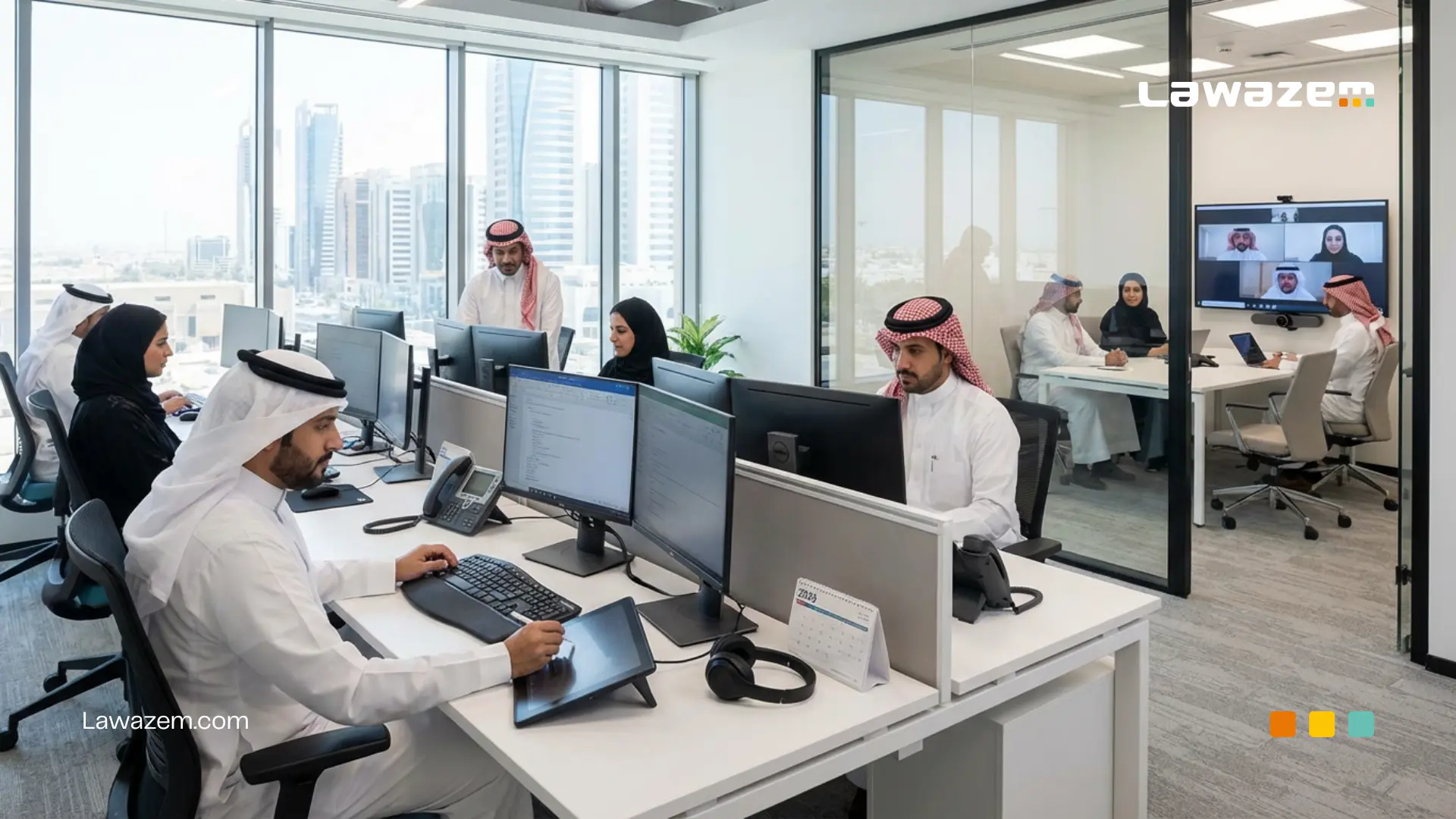
With work accelerating and office environments evolving in 2026, productivity is no longer tied only to employee skills or hours worked. Office Gadgets have become a core factor in improving daily performance and reducing wasted time and effort.
In Saudi companies and institutions, where the focus on operational efficiency and workplace quality continues to grow, choosing the right office tools has become a strategic decision that directly impacts employee productivity and comfort.
The right Office Gadgets help organize tasks, improve focus, reduce strain, and make collaboration easier—while the wrong tools can become a daily obstacle that slows work without anyone noticing.
In this article, we review the top 10 essential office tools worth investing in during 2026, and explain how each tool can raise employee productivity and support a smarter, more sustainable workplace.
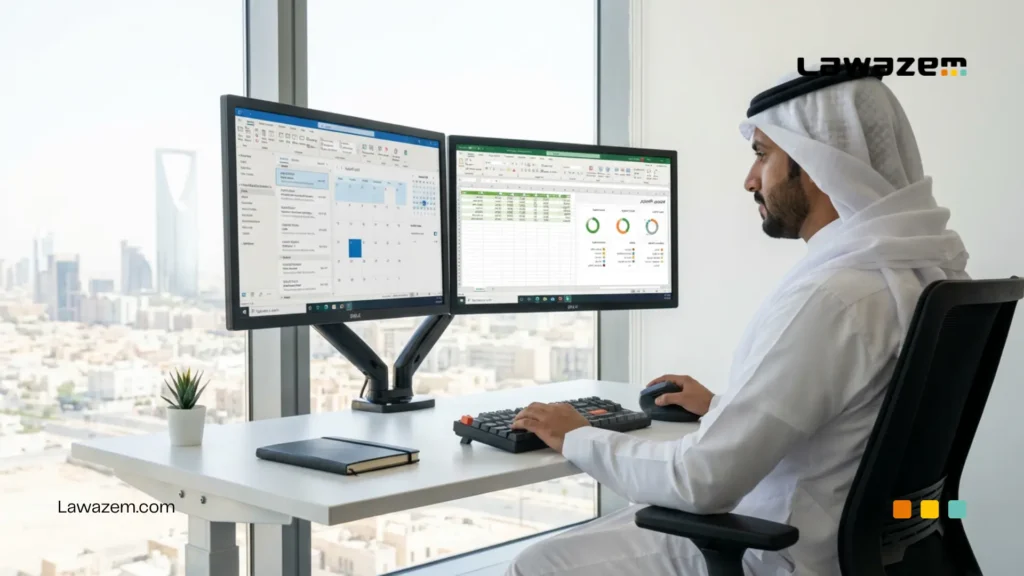
1. Monitor Arms and Multiple Displays to Improve Focus
Multiple displays have become one of the most important Office Gadgets modern companies rely on to increase work efficiency and reduce distractions—especially in Saudi office environments seeing growth in digital work and data-driven operations.
Using a single screen for multiple tasks can force constant switching between windows, consuming unnecessary time and effort. Multiple monitors, on the other hand, create a wider, more organized workspace.
Also Read: Office Supplies in Al Khobar: Bulk Office Stationery and Supplies
Benefits of Using Multiple Displays
Working across more than one screen allows employees to complete tasks smoothly without constant interruption, such as:
- Monitoring email on one screen while working on core tasks on another
- Comparing data or files at the same time
- Reducing time lost switching between programs and windows
This approach speeds execution and reduces errors caused by constant switching, which directly improves daily productivity.
Also Read: Best Office Supplies Website in Saudi Arabia: How to Choose the Right Platform?
How Do Multiple Displays Improve Focus and Work Organization?
With more screen real estate, task organization becomes easier and clearer. Multiple monitors help employees:
- Arrange tasks by priority
- Reduce visual distraction
- Maintain workflow momentum without interruption
Adjustable monitor arms also help set a comfortable height and viewing angle, reducing neck and eye strain and supporting longer periods of focused work.
Recommended Number of Monitors and Screen Size
For most offices, two monitors are an ideal choice to balance productivity and cost—especially for administrative, finance, and technical roles.
In terms of size, 24–27 inch monitors provide a comfortable viewing area without requiring a large desk footprint. In analysis- or design-heavy departments, a third monitor may be a practical option to increase efficiency, as long as space is planned thoughtfully.
Choosing the right monitors and arms is not a luxury—it is a direct investment in employee comfort and long-term productivity.
Read more: Managers’ Guide: Criteria for Choosing a Reliable Office Supplies Supplier in Saudi Arabia
2. An Ergonomic Keyboard and Mouse to Reduce Strain
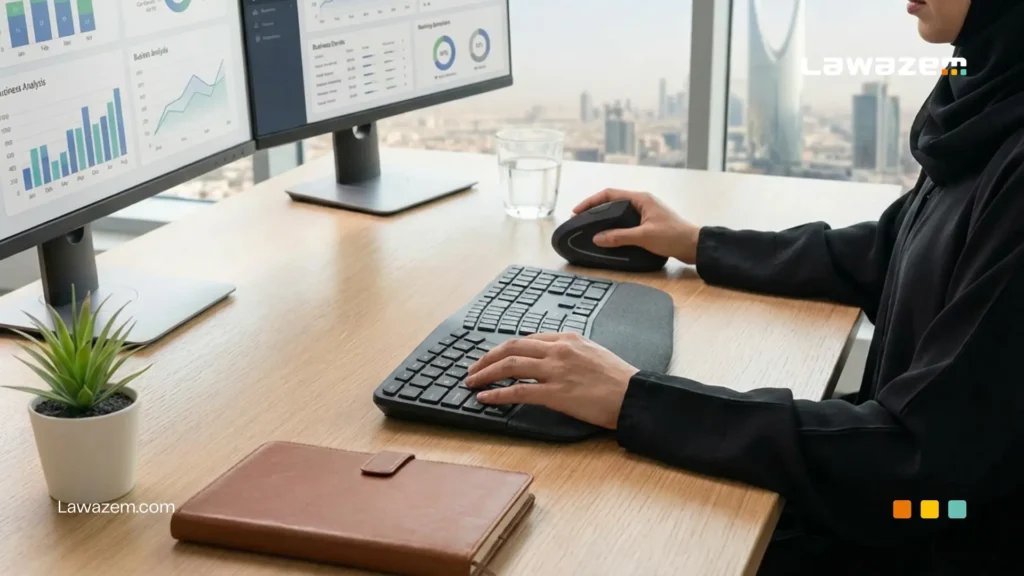
The keyboard and mouse are among the most-used Office Gadgets in the workday. With long hours of continuous use, poorly chosen devices can cause strain in the hands, wrists, and shoulders.
In modern Saudi workplaces, interest is growing in selecting ergonomic Office Gadgets as part of improving employee health and long-term productivity—not just as a cosmetic desk upgrade.
How Ergonomic Tools Improve Employee Comfort
Using an ergonomic keyboard and mouse helps:
- Reduce pressure on the wrist and hand
- Limit neck and shoulder pain caused by poor posture
- Improve comfort during long work sessions
The more physically comfortable an employee is, the easier it is to stay focused and complete tasks without constant breaks or fatigue—improving work quality and speed.
Difference Between Standard and Ergonomic Keyboards
Standard keyboards are often designed in a uniform shape that does not support natural hand positioning, which can lead to repeated strain with daily use.
Ergonomic keyboards, in contrast, may use curved or split designs that help:
- Maintain a natural hand position
- Reduce unnecessary wrist bending
- Distribute effort more evenly while typing
The same applies to ergonomic mice designed to fit the hand and reduce pressure from repetitive use.
Suggestions for Choosing the Best Option
When selecting a keyboard and mouse, consider:
- A design that supports natural hand and wrist posture
- A size suitable for desk space and work type
- Material quality for long-term use
- Ease of adapting to daily use without a long adjustment period
Investing in comfortable input devices is a practical step toward improving the workplace, reducing strain, and supporting sustainable productivity.
3. Desk Organizers and Storage Shelving
Organizing a workspace is just as important as choosing technical Office Gadgets. A cluttered desk can quickly become a source of distraction and time loss.
In many offices, paper and tool buildup makes it harder to access daily necessities. Using the right desk organizers and storage shelves creates a calmer, more organized environment that supports focus and productivity.
Workspace Organization and Its Impact on Productivity
A tidy workspace helps employees:
- Access tools and documents quickly
- Reduce time wasted searching for files
- Improve focus and reduce visual stress
When every item has a proper place, workflows become smoother, and employees feel more in control of their daily tasks—directly improving productivity.
Smart Ideas for Organizing a Desk
Effective desk organization can be achieved through:
- Using drawer organizers to separate small Office Gadgets
- Relying on vertical file holders instead of stacking papers
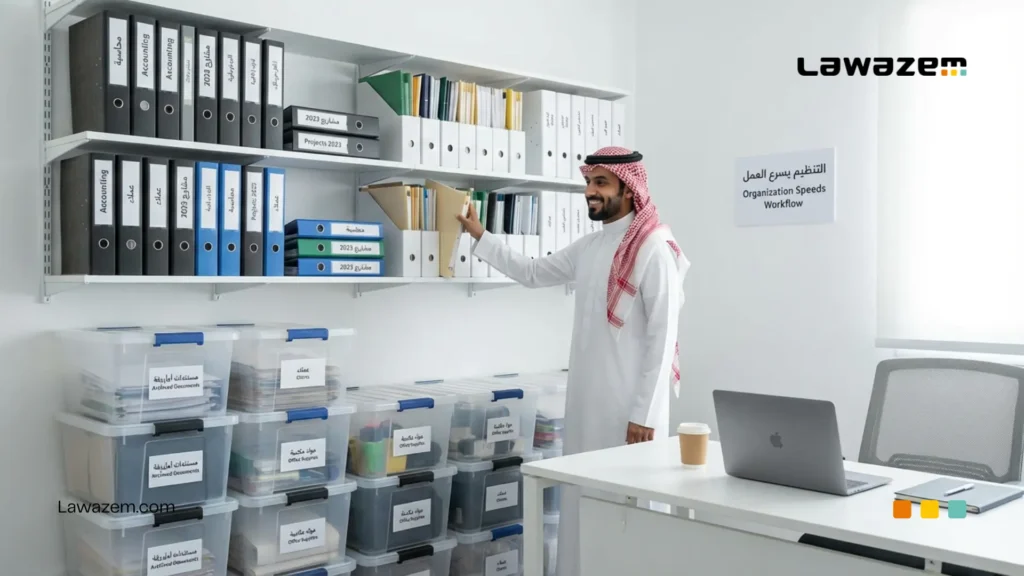
- Assigning separate shelves for active vs. archived documents
- Reducing visible items on the desktop to essentials only
These simple solutions keep workspaces neat without complexity or high cost.
Getting the Most from Small Spaces
In smaller offices, smart organization is a necessity, not an option. Small spaces can be optimized by:
- Using vertical shelving instead of horizontal storage
- Choosing multi-purpose organizers
- Using space under the desk or beside the monitor
- Adopting adjustable storage solutions as needs change
With this approach, even compact offices can become practical, organized spaces that support productivity and reduce daily clutter.
4. High-Quality Writing Tools (Pens and Hand Tools)
Despite major progress in digital Office Gadgets and the adoption of electronic systems across many companies, manual tools still play an important role in modern workplaces.
In offices, pens and writing tools are used daily in meetings, quick note-taking, document signing, and early-stage idea planning—making high-quality writing tools a meaningful factor in employee efficiency.
Why Do Manual Office Gadgets Still Matter Despite Technology?
Handwriting helps:
- Capture ideas quickly without opening devices or apps
- Improve focus during meetings and workshops
- Support direct interaction during discussions
- Encourage creative thinking and rapid planning
Some administrative and formal tasks still require signatures or handwritten notes, making reliable writing tools essential.
Choosing Pens for Long-Term Use
Low-quality pens can cause hand fatigue or unclear writing, especially during long use. It is best to choose pens with:
- Smooth writing without excessive pressure
- A comfortable grip that reduces finger strain
- Clear, consistent ink that does not smudge
- Build quality that supports long-term use
These factors help employees write comfortably and consistently without interruption or fatigue.
Types of Office Gadgets That Improve Daily Efficiency
Beyond pens, simple hand tools that improve day-to-day efficiency include:
- Notebooks for ideas and task tracking
- Sticky notes for organizing priorities
- Highlighters and color tools for easier document review
- Signature pens for formal or official use
Keeping these tools within reach supports daily execution and complements digital tools—creating a balanced environment that combines speed with organization.
5. A Whiteboard and Presentation Office Gadgets
Whiteboards and presentation tools are essential in modern workplaces, especially for meetings and workshops that require direct interaction and fast idea-sharing.
In many Saudi companies, whiteboards still play a central role in clarifying vision, simplifying concepts, and supporting teamwork in a visual, easy-to-follow way.
Using Them in Meetings and Workshops
Whiteboards are used for:
- Explaining complex ideas in a simpler way
- Capturing notes during group discussions
- Summarizing decisions and next steps
- Supporting brainstorming sessions and planning workshops
Having a whiteboard in the meeting room makes discussions more structured and helps everyone follow ideas clearly and collectively.
Boosting Engagement and Visual Planning
Visual planning turns abstract ideas into tangible elements that are easier to understand. Whiteboards help:
- Increase participation instead of passive listening
- Encourage sharing and proposing ideas
- Connect points and plans visually
- Support group decision-making
When the team can see ideas in front of them, discussions become more dynamic and the risk of misunderstandings or lost attention decreases.
Tips for Choosing Whiteboard Size and Type
When selecting the right whiteboard, consider:
- Room size and meeting attendee count
- A fixed board for larger rooms or a mobile board for flexible spaces
- An easy-to-clean surface that does not retain ink marks
- Availability of suitable accessories such as markers and an eraser
Choosing the right board and presentation tools improves meeting quality and communication efficiency, which positively impacts productivity and teamwork.

6. Printing Supplies (Printers, Ink, Paper)
Printing remains a core part of daily workflows in many Saudi companies, despite the expansion of digital solutions. Different departments rely on printing for reports, contracts, forms, and official correspondence, making the right printing supplies essential to keep work moving without disruption.
Choosing a Printer That Fits Office Needs
Selecting a printer should not be random—it depends on how the office uses it. Consider:
- Daily or monthly print volume
- Document types (text, spreadsheets, presentations)
- Required print speed
- Operating and maintenance costs
The right printer reduces repeated breakdowns and saves time, while a poor choice can cause frequent stoppages and higher long-term costs.
Why Consistent Ink and Paper Availability Matters
Running out of ink or paper at the wrong time can halt work completely, especially during critical periods such as meetings or deadlines. It is essential to:
- Check ink levels regularly
- Maintain an appropriate paper stock
- Schedule reordering before supplies run out
Proactive planning ensures uninterrupted printing and avoids expensive emergency requests or ineffective temporary fixes.
Impact of Smooth Printing on Workflow
When a printer performs reliably and supplies are always available, workflows become smoother and more organized. Smooth printing:
- Reduces unexpected downtime
- Helps meet deadlines
- Supports faster administrative execution
- Improves efficiency for teams that rely on paper documents
Printing supplies are not a small detail—they are a core element of keeping daily operations running without interruption or added pressure on employees.
7. Document Management Systems (Folders, Files, Shelves)
Despite rapid digital transformation, paper documents remain a core part of daily work in many companies—especially administrative and finance teams in Saudi Arabia. Effective physical document management is essential to maintain organization and enable access to information without confusion or loss.
Making Paper Documents Easy to Organize
Document organization helps:
- Retrieve files quickly when needed
- Reduce time wasted searching
- Improve daily workflow continuity
Using color-coded folders, categorized files, and a clear labeling and sorting system makes documents easier to manage—especially when files are shared across employees or departments.
Protecting Important Documents
Official documents, contracts, and financial records require additional protection from damage or loss. This can be achieved by:
- Using durable sleeves that prevent tearing
- Storing key documents in dedicated shelves or locked drawers
- Separating sensitive documents from daily-use files
These practices reduce risk and keep critical information secure and organized.
Practical Storage Solutions for Offices
The right storage solutions help maximize office space without clutter, such as:
- Vertical shelving to save space
- File cabinets sized for document volumes
- Flexible, adjustable storage systems as needs evolve
Organizing documents effectively improves not only the look of the office but also speed of execution and reduces daily stress caused by paper clutter.
8. Meeting Equipment (Microphones, Headsets, Cameras)
As companies increasingly rely on in-person and virtual meetings, meeting equipment quality has become a major factor in successful team communication.
In Saudi workplaces, where operating models include traditional offices and hybrid work, the right meeting equipment reduces technical issues and improves the overall meeting experience.
The Need for a Smooth Meeting Experience
Meetings with unclear audio or video issues lead to:
- Loss of focus
- Misunderstandings between participants
- Time wasted repeating points
A smooth meeting experience ensures ideas flow clearly and helps teams focus on content instead of technical problems.
Office Gadgets That Improve Group Communication Quality
High-quality meeting equipment helps:
- Deliver clear sound for all participants without distortion
- Provide professional video that strengthens engagement
- Support group meetings in-office or remotely
Good microphones capture voices clearly, headsets reduce surrounding noise, and high-quality cameras improve visual communication and strengthen interaction between participants.
What to Consider When Choosing
When selecting meeting equipment, consider:
- Meeting room size and number of participants
- Ease of setup and use
- Compatibility with different meeting platforms
- Audio/video quality relative to cost
Choosing the right equipment from the start reduces failures, improves meeting efficiency, and gives employees a professional communication experience that supports faster decisions and teamwork.
9. Comfort and Wellness Supplies (Back Support, Wrist Rests)
Physical comfort at work is no longer a luxury—it is essential for sustaining productivity. With long hours seated at screens, many companies face challenges related to fatigue and recurring back and wrist pain, directly affecting focus and daily performance. Comfort and wellness supplies are therefore a smart part of office setup.
How Comfort Tools Reduce Fatigue
Well-designed comfort tools help:
- Support the back and encourage proper posture
- Reduce pressure on the wrist and hand while typing
- Ease muscle tension caused by long periods of sitting
When the body is comfortable, fatigue decreases and employees can work longer without breaks or pain.
How Physical Health Impacts Productivity
Physical health is directly tied to productivity. Employees experiencing repeated pain often:
- Lose focus quickly
- Need frequent breaks
- Become less able to maintain consistent output
By contrast, a health-supportive work environment improves overall performance, reduces absenteeism, and increases job satisfaction.
Suggestions for Effective Wellness Tools
Recommended office wellness tools include:
- Back supports that help protect the spine
- Wrist rests for the keyboard and mouse
- Monitor risers to align screens with eye level
- Footrests to improve seated posture
These simple tools make a clear difference in employee comfort and represent a direct investment in team health and long-term productivity.
10. Smart Tech Tools (Charging Stations, USB-C Hubs, Screen Sharing Devices)
In modern workplaces—especially with hybrid work expanding between the office and home—smart tech tools have become a core part of office setup that boosts productivity and keeps workflows smooth.
Companies in Saudi Arabia are increasingly adopting tech solutions that help employees move between devices and work efficiently without technical friction.
Simplifying Device Connections and Data Sharing
Fast, simple connectivity and data sharing are essential for effective workplaces. Helpful tools include:
- Multi-port charging stations that charge phones, tablets, and headsets from one unit
- USB-C hubs that expand modern laptops with ports such as HDMI, USB-A, and Ethernet
- Screen sharing devices that let teams display content quickly in meetings without complex cables or setup
These tools reduce time lost connecting and switching devices and provide a smooth tech experience regardless of device type or user needs.
Tools That Support Mobility and Hybrid Work
As hybrid work grows in Saudi Arabia, employees need tools that work smoothly both in the office and at home. Tools that support this include:
- Wireless docking stations that make switching work environments easier
- High-capacity power banks for employees moving between meetings
- Multi-function adapters that ensure compatibility with display and printing systems
These tools reduce setup delays and simplify transitions between work environments.
Top Models Worth Investing In
When choosing smart tech tools for the office, focus on quality, sustainability, and flexible use. Features that make a tool worth investing in include:
- Support for multiple ports with high transfer speeds
- Broad compatibility across operating systems and devices
- Fast-charging support
- A compact, easy-to-use design
These criteria help companies choose tech tools that support both current and future workplace needs without frequent replacement.
By selecting the right smart tech tools, companies can improve employee experience and reduce daily technical obstacles—positively impacting productivity and team performance inside and outside the office.
Read about: For Startups in Saudi Arabia: How Do You Set Up Your Office on the Smartest Budget?
How Lawazem Helps Saudi Companies Choose and Buy Smart Office Gadgets
As Saudi companies work to improve efficiency and control costs, purchasing Office Gadgets is no longer a traditional procurement task—it is an operational decision that requires a smart platform for planning and tracking.
That is where Lawazem comes in: a platform built to serve businesses in Saudi Arabia and help them choose and purchase office tools in a more organized, effective way—without complexity or budget waste. Explore the catalog to standardize your purchasing and simplify repeat orders.
A Complete Catalog for Productivity Office Gadgets
Lawazem provides a comprehensive catalog that includes essential office tools and modern productivity solutions, enabling companies to find everything they need in one place. This variety supports:
- Consolidating purchasing instead of working with multiple suppliers
- Selecting the right tools based on work requirements
- Ensuring consistent product availability
A complete catalog makes buying decisions easier and reduces time wasted searching and comparing.
Competitive Pricing for Business Orders
Lawazem offers competitive pricing designed for business purchasing, helping organizations maximize value within budget. This approach enables:
- Lower Office Gadgets costs over the medium and long term
- Better pricing on recurring orders
- Clearer, more confident budget planning
The focus is not only price—it is achieving the right balance between quality and cost.
Order and Approval Management Tools
With order and approval management tools, Lawazem helps businesses control internal purchasing. Teams can:
- Define who is allowed to place orders
- Enable approvals before purchasing
- Reduce unnecessary requests
This structure reduces waste and makes purchasing more disciplined and transparent.
Reliable Delivery Across the Kingdom
Lawazem provides reliable delivery coverage across Saudi Arabia, ensuring tools arrive on time without disrupting operations. Structured delivery reduces:
- Delays in office setup
- Dependence on emergency stopgap solutions
- Pressure on administrative teams
It is a core factor in maintaining uninterrupted work.
Spending Control Through Cost Centers
With cost centers, companies can track spending by department or project, helping to:
- Understand where budget is actually going
- Control unjustified expenses
- Improve future financial planning
This level of control gives management clearer visibility for better decisions.
Finance-Ready Invoices and Reports
Lawazem simplifies finance operations with organized invoices and clear reports that help accounting teams:
- Review spending easily
- Reduce time spent auditing
- Ensure compliance with internal financial policies
With these capabilities, Lawazem becomes a practical partner for Saudi companies—supporting not only supply, but better procurement management and more efficient spending on smart office tools.
How to Choose the Right Tools Based on Work Type
Choosing tools that match company size and work type makes investment more effective. The right tools do not just help—they become strategic enablers that support workflows and improve overall performance for employees and the organization.
Small Businesses vs. Mid-Sized and Large Companies
| Item | Small / Startup Companies | Mid-Sized and Large Companies |
|---|---|---|
| Primary goal | Reduce cost while maintaining efficiency | Sustainability, scale, and performance improvement |
| Tool type | Basic, multi-purpose tools | Advanced, specialized tools |
| Investment level | Limited and carefully planned | Higher with long-term planning |
| Required quality | Good enough for daily needs | High and durable under heavy use |
| Technology | Simple, easy-to-set-up solutions | Integrated systems and advanced technology |
| Tool management | Often without formal standardization | Standardized tools across departments |
| Maintenance and support | Basic as needed | Ongoing support and continuous coverage |
| Flexibility | High flexibility as the company grows | Less flexibility but more stability |
Traditional Office Work vs. Hybrid Work
| Item | Traditional Office Work | Hybrid Work |
|---|---|---|
| Work location | In-office full time | Between office and home |
| Tool type | Fixed, office-based tools | Lightweight, flexible, portable tools |
| Workstation | Complete and permanent | Quick to set up |
| Technology | Fixed monitors, whiteboards, printers | Charging stations, USB-C hubs, sharing tools |
| Meetings | Mostly in person | In-person and virtual |
| Mobility needs | Low | High |
| Device compatibility | Limited | Essential (multiple devices) |
| Buying focus | Durability and lifespan | Flexibility and ease of use |
Best Criteria for Purchasing Tools (Quality, Cost, Warranty, Service)
When evaluating tools before purchase, companies should consider the following criteria:
Quality
- Material durability
- Reliable long-term performance
- Fit for daily workplace use
Cost
- Investment cost versus expected benefit
- Long-term value rather than the lowest price only
- Estimated maintenance and replacement costs
Warranty
- Warranty coverage for potential faults
- A sufficient warranty period that reflects supplier confidence in product quality
- Clear after-sales service terms
Service
- Fast technical support when needed
- Spare parts availability
- Supplier responsiveness for issues or inquiries
Common Mistakes When Buying Office Tools—and How to Avoid Them
Although office tool purchasing may seem simple, many companies make repeated mistakes that reduce productivity and increase long-term costs.
In Saudi workplaces, where business models vary and growth is accelerating, avoiding these mistakes is a key step toward building a practical, effective office.
Focusing Only on Price Without Quality
One of the most common mistakes is choosing the cheapest tools without considering quality or lifespan. Low-quality tools may look cost-saving at first, but they often:
- Break down quickly
- Require frequent replacement
- Annoy employees during work
Smart purchasing balances price and quality and considers total cost of use over time—not just purchase cost.
Buying Tools That Don’t Fit the Nature of Work
Not every tool fits every type of work. Buying generic tools without considering task requirements can lead to:
- Lower efficiency
- Underutilization of the tool
- Employee discomfort or unnecessary complexity
Tool selection should align with actual work type—administrative, technical, or meeting- and collaboration-heavy roles.
Ignoring Employee Feedback in Selection
Employees are the real users of office tools. Ignoring their feedback can lead to:
- Uncomfortable tool choices
- Low adoption and acceptance
- Reduced job satisfaction
Even simple employee input helps choose tools that fit daily needs and are used more effectively.
Neglecting Future Planning
Focusing only on current needs without considering future expansion or work model changes can cause:
- The need to replace tools quickly
- Tools that don’t match evolving work requirements
- Higher expenses as the company grows
Smart planning accounts for team growth, shifting workflows, or a move toward more flexible work models—making tool investment more sustainable.
Contact Lawazem to create a business account and get support selecting the right tools for your workplace.